1.首先查看我的php版本,随便写一个phpinfo.php,输入如下代码
<?php
phpinfo();
?>
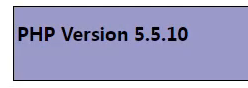
我们访问一下http://你的域名.com/phpinfo.php,可以看到我们的版本是
2.下载对应的php-redis扩展包(https://pecl.php.net/get/redis-2.2.8.tgz)
3.下载php5.5.10的安装包,主要是为了生成phpize(https://www.php.net/distributions/php-5.5.10.tar.gz)
4.生成 phpize
tar -zxvf php-5.5.10.tar.gz

cd php-5.5.10

# 3. 生成configure文件(依赖autoconf,先安装)
yum install -y autoconf

./buildconf --force
# 4. 配置编译参数(仅生成phpize,不编译PHP本体)
./configure --prefix=/phpstudy/server/php \
--with-config-file-path=/phpstudy/server/php/etc \
--enable-fpm \
--with-mysql

# 5. 生成可执行的phpize脚本(生成后在scripts目录下)
cp scripts/phpize /phpstudy/server/php/bin/
chmod +x /phpstudy/server/php/bin/phpize
5.进入到php-redis扩展包根目录执行
cd /data/redis-2.2.8/
/phpstudy/server/php/bin/phpize
/phpstudy/server/php/bin/php-config
./configure --with-php-config=/phpstudy/server/php/bin/php-config
make && make install
这样就生成了redis.so

6.修改php.ini配置
vim /phpstudy/server/php/etc/php.ini
extension=/phpstudy/server/php/lib/php/extensions/no-debug-non-zts-20121212/redis.so
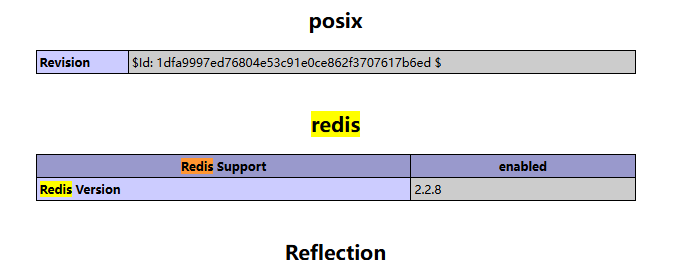
7.重启php后查看phpinfo,成功!